
UX Process Study
Safari Montage UX Process Study
A self-initiated UX showcase created to demonstrate my complete process for researching, organizing, designing, prototyping, and presenting a dashboard experience for educators and school administrators.
Project Highlights
Overview
In 2025, I interviewed for a Senior UX Designer position with Safari Montage, a company that curates, vets, hosts, and provides educational content, primarily video, for schools across the United States.
As part of the interview process, I wanted to demonstrate more than visual design ability. I wanted to show how I approach UX work from discovery through delivery.
Although this exercise was not required, I created a comprehensive UX process study to help the interview team understand my work style, thinking, communication approach, and methodology.
The Opportunity
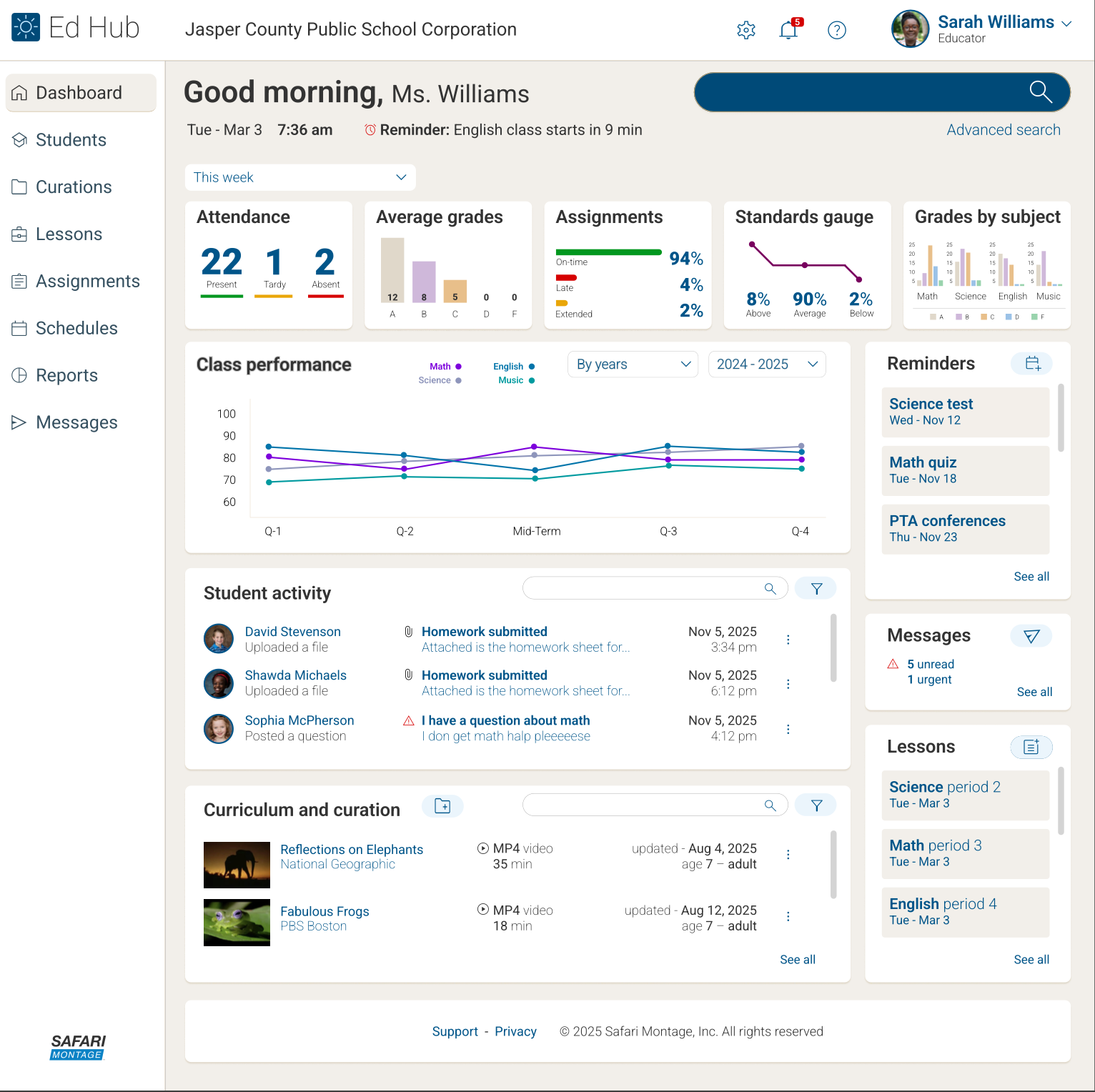
The showcase explored the research, design, and development process behind creating a dashboard view for teachers and administrators in education.
Rather than presenting only final screens, I documented the full path from problem framing to prototype.
The goal was to make the process visible: how I research, organize, plan, design, build, and present a UX solution.
Research & Discovery
The work drew from several sources, including my prior education technology experience at Follett, conversations with the Safari Montage Director of IT during the interview process, and independent research supported by AI-assisted exploration.
My background working with educators, librarians, administrators, and school technology teams helped inform the assumptions, workflows, and content priorities used throughout the study.
The research phase focused on understanding what dashboard information would be useful to two different audiences: administrators and educators.
Persona-Focused Approach
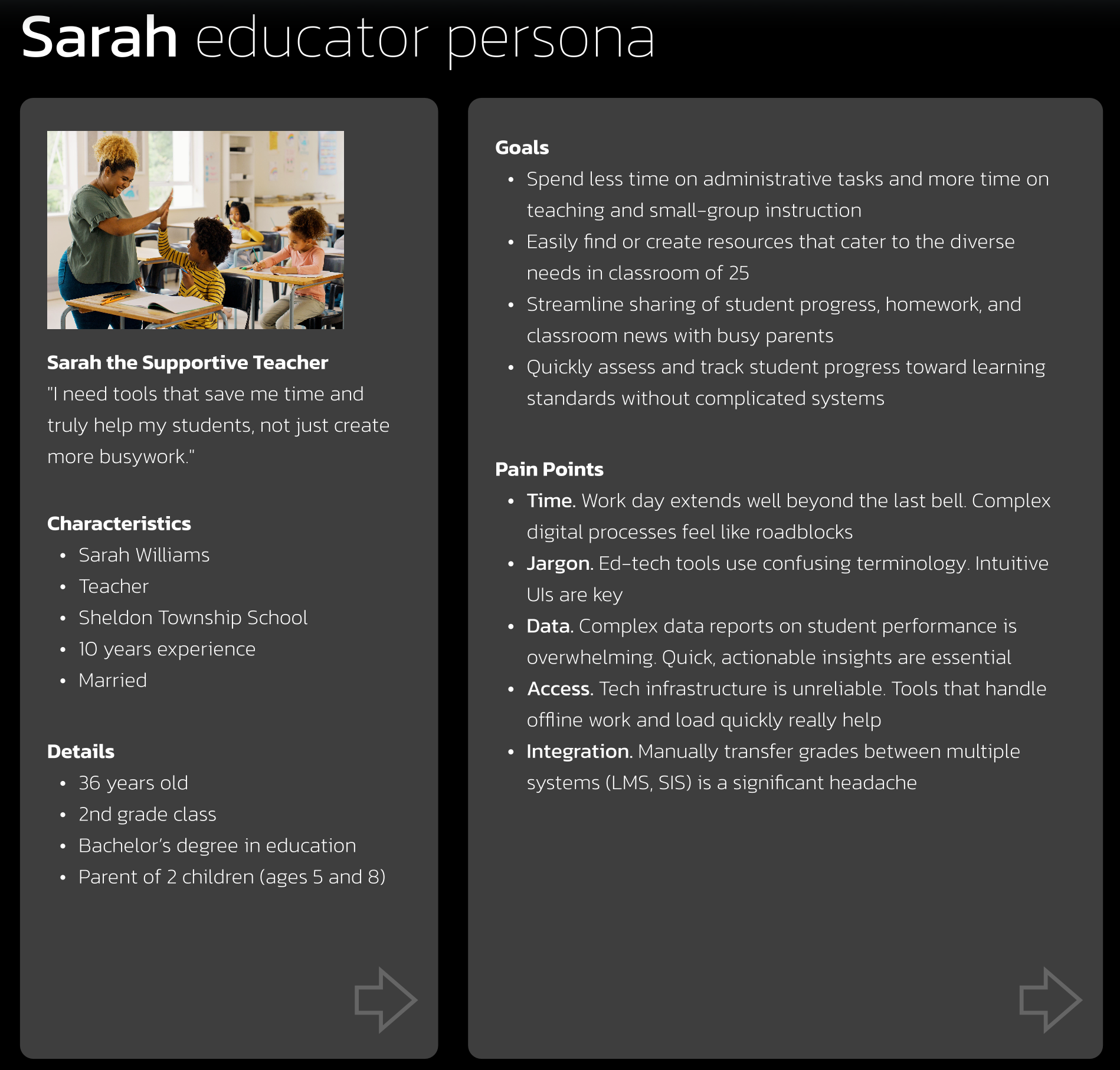
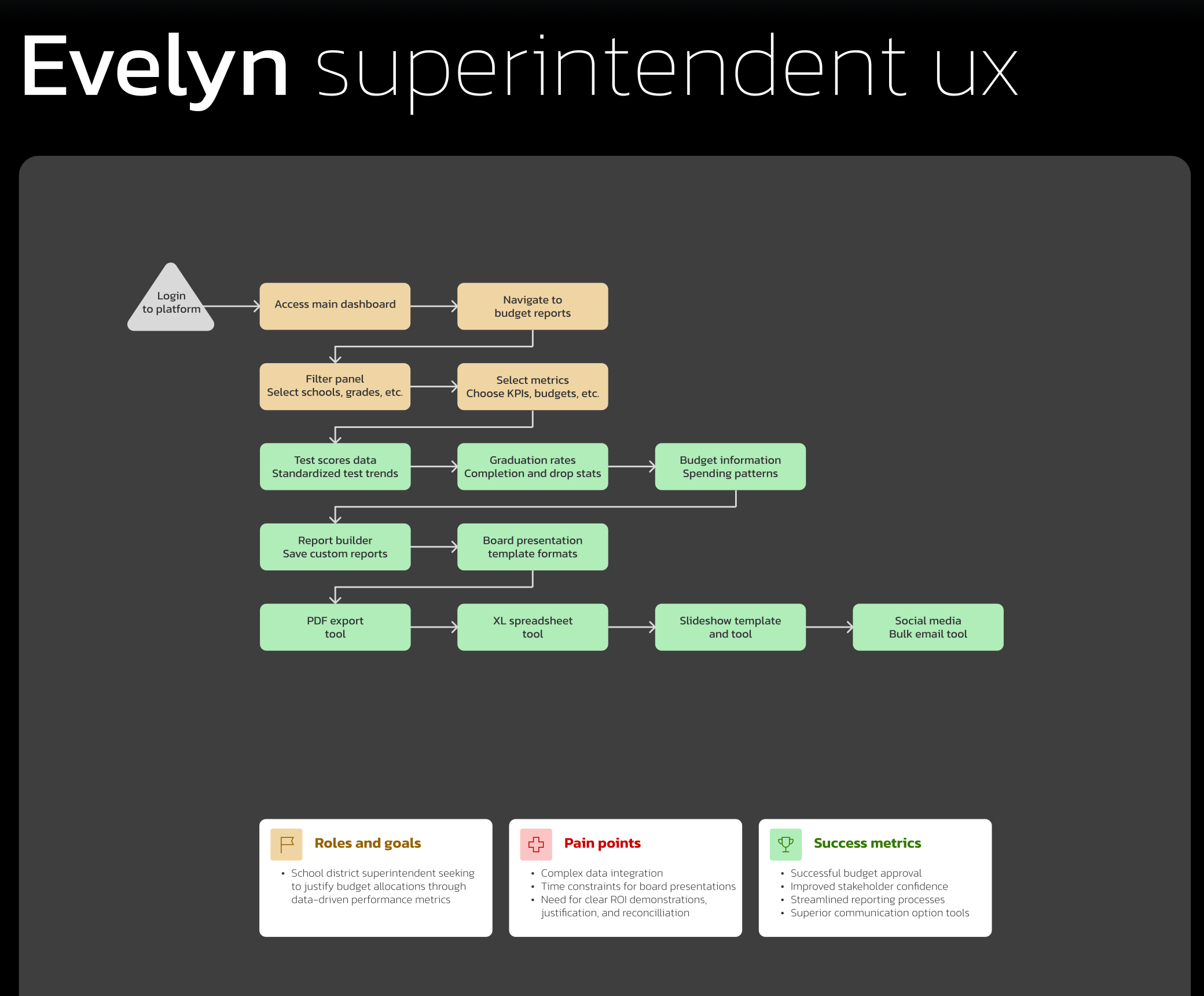
I created separate persona-focused flows for administrators and educators because each audience needed different information and different levels of visibility.
Administrator Persona
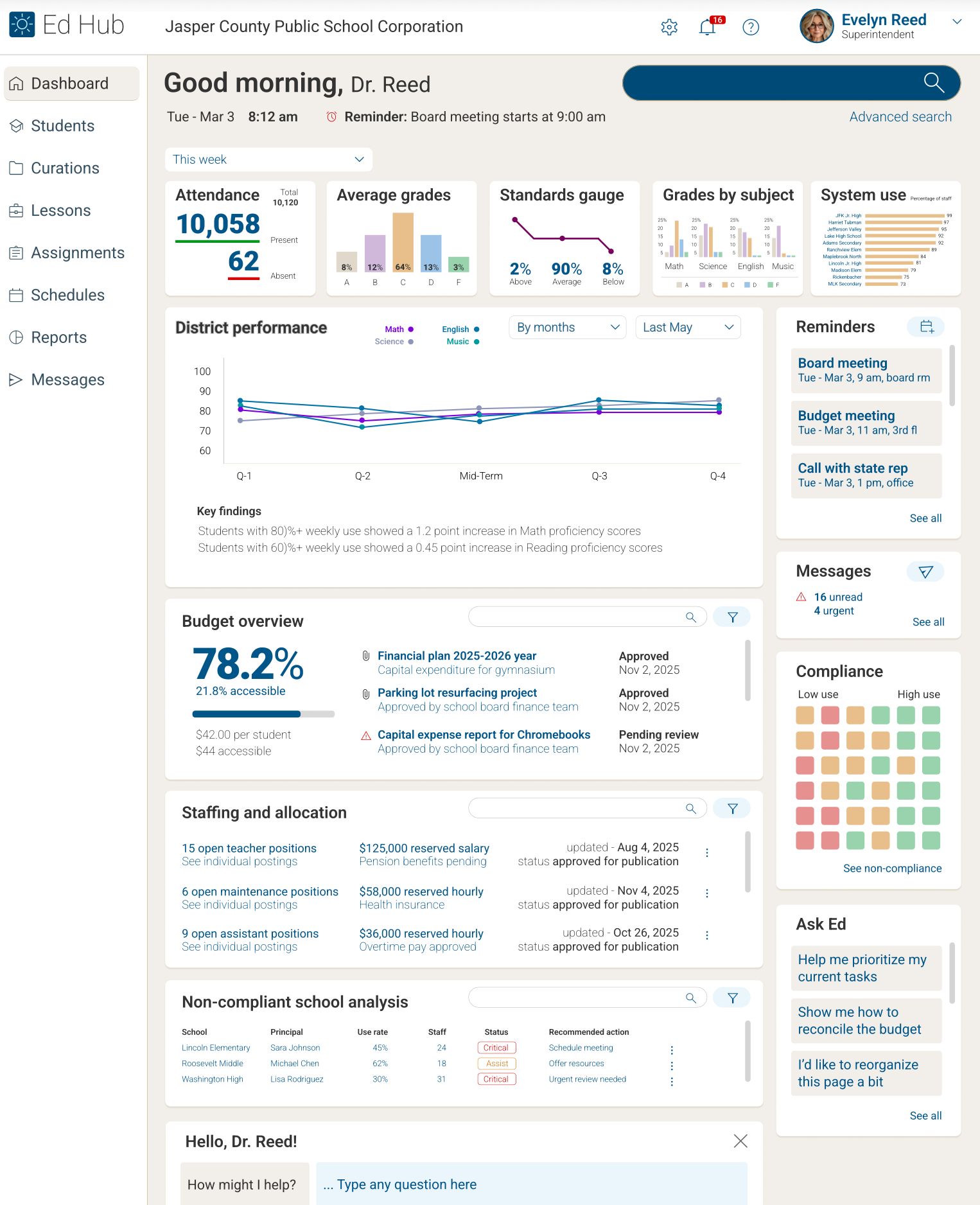
The administrator-focused flow emphasized oversight, usage visibility, school-wide adoption, reporting, and decision support.
Educator Persona
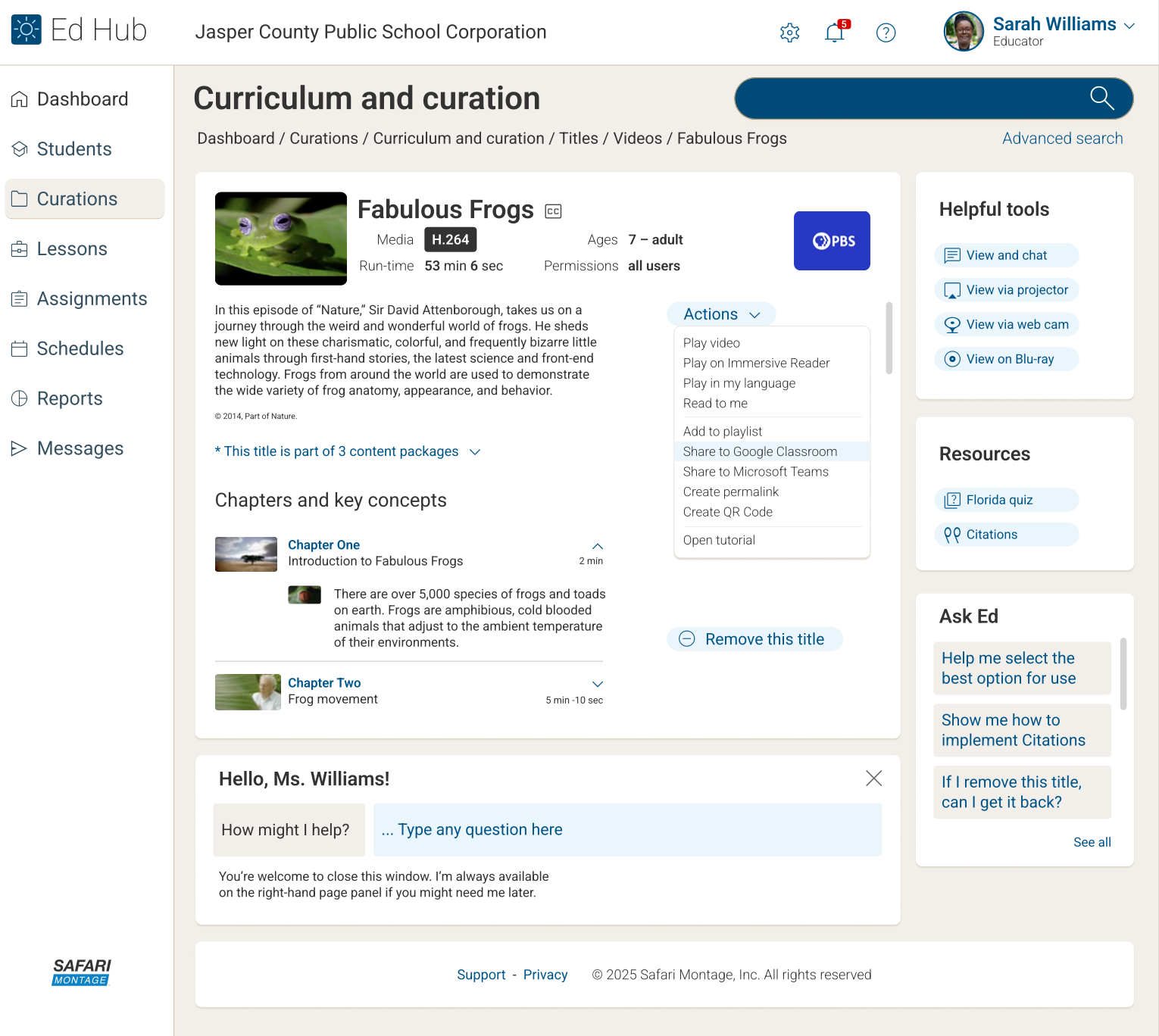
The educator-focused flow emphasized classroom efficiency, content discovery, curriculum support, instructional planning, and time savings.
Separating these perspectives helped ensure the dashboard process did not treat every user as having the same goals.
Journey Maps, User Flows & IA
The study included journey maps, user flows, and information architecture diagrams to clarify how each audience might enter the experience, what they needed to accomplish, and how information should be organized.
These artifacts helped identify likely tasks, decision points, content priorities, and opportunities to reduce friction.
The IA work focused on surfacing meaningful dashboard content without overwhelming users with unnecessary complexity.
Wireframes, Mockups & Prototype
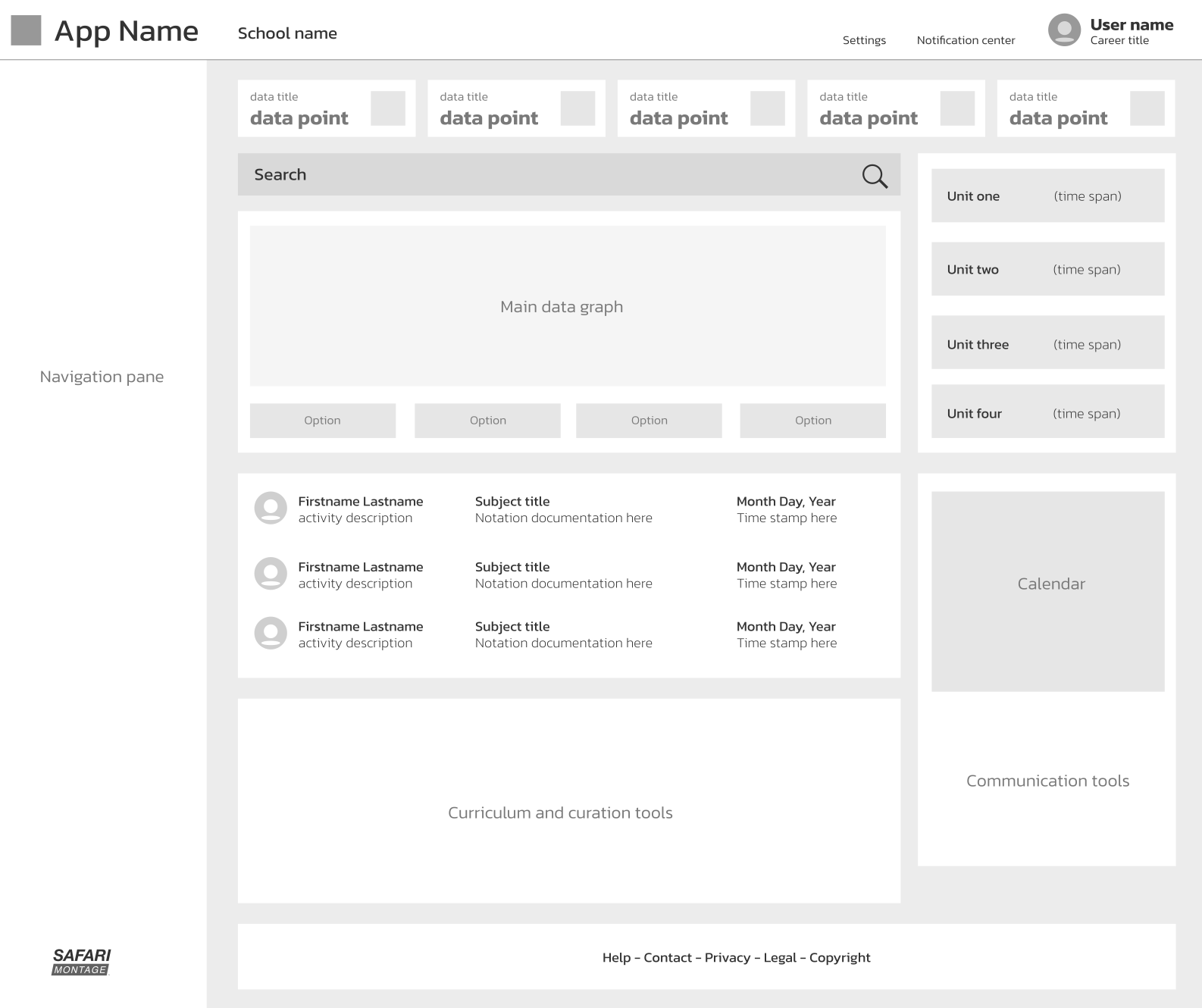
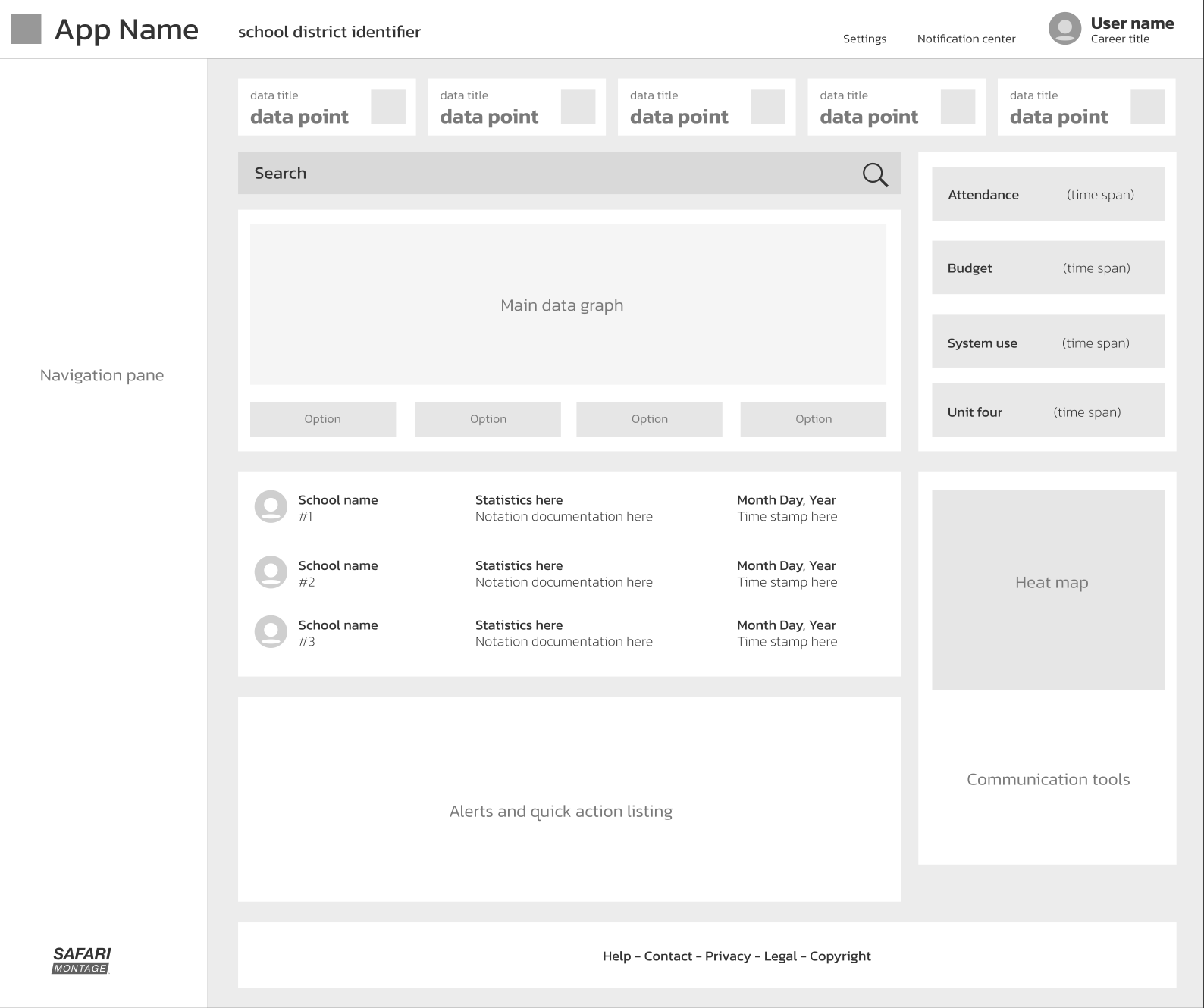
After establishing the research foundation and structural direction, I moved into wireframes, mockups, and prototype work.
The wireframes helped explore layout, hierarchy, and task flow before moving into more polished dashboard comps.
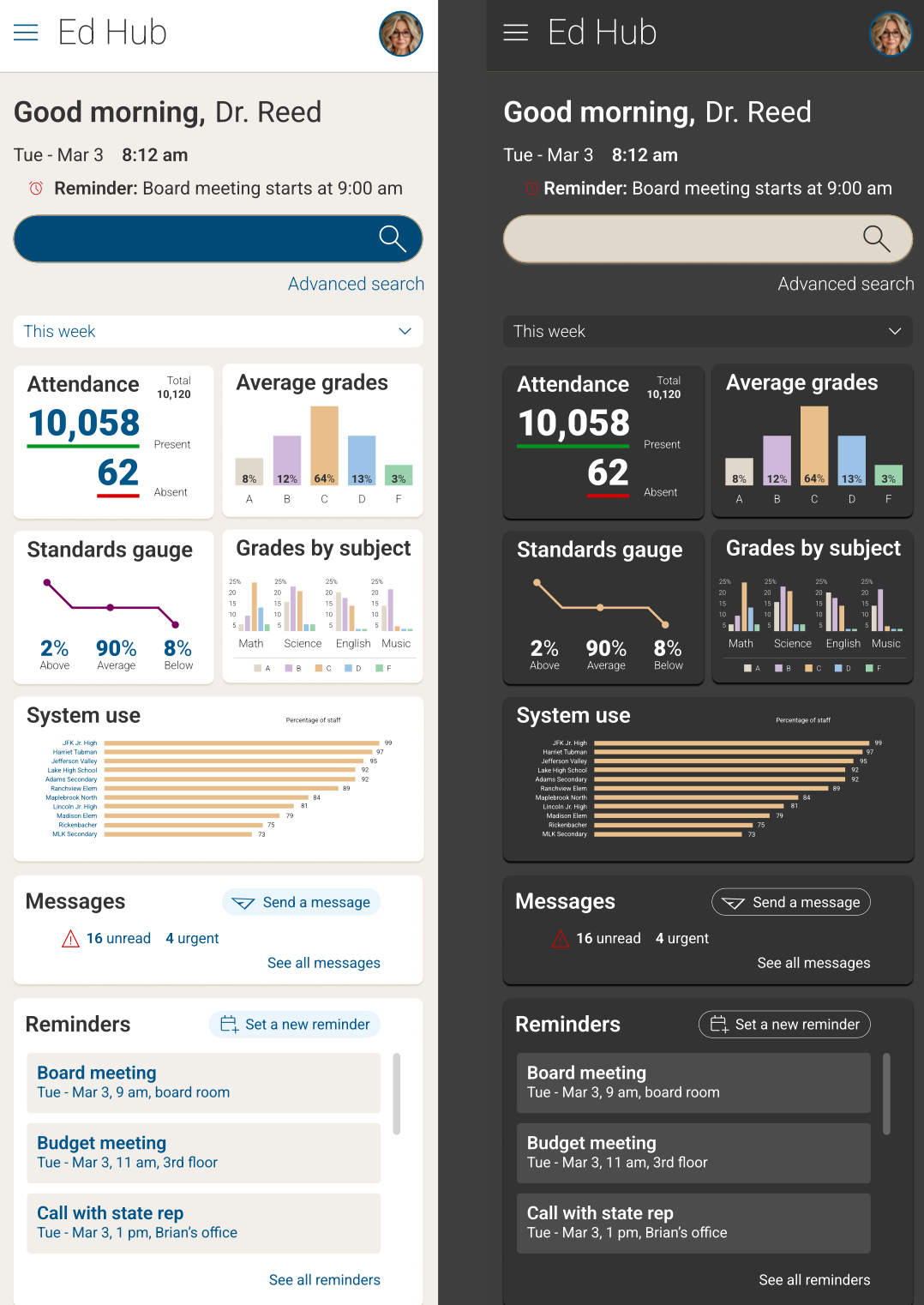
The final mockups and prototype demonstrated how the dashboard could support administrators and educators with role-specific information, clear content organization, and an approachable education-focused interface.
Presentation & Interview Context
The work was packaged into a presentation deck and delivered remotely through screen sharing.
While the screen-share format introduced a few technical challenges, the walkthrough succeeded in communicating the process clearly.
The presentation gave the interview team a clearer view of how I think, organize work, explain rationale, and move from research to design execution.
Outcome
The effort impressed leadership and interviewers, and it helped clarify my work style, work ethic, and UX methodology.
Although I did not receive the final offer, I advanced to the final stage and was one of two finalists.
More importantly, the project became one of the clearest single-document examples of my UX process, showing how I approach planning, research, organization, design, prototyping, and presentation.
Why This Project Matters
Most portfolio pieces showcase a finished product.
This project showcases a process.
It demonstrates that my UX process is clean, clear, organized, thorough, and repeatable. It can be adapted, taught, and used as a roadmap for other designers.
That makes it valuable not only as a design artifact, but as a representation of how I work.
Reflection
Safari Montage remains important in my portfolio because it captures every step of my UI/UX work pattern in one all-inclusive document.
It shows the thinking behind the interface, not just the interface itself.
It also reinforces one of the most important lessons I have learned throughout my career:
Great interfaces solve problems once. Great processes solve them repeatedly.
Supporting Visuals
A look at the process artifacts behind the dashboard concept, from persona work and flow mapping to wireframes, mobile direction, content curation, admin views, and final interface direction.
Interested in working together?
Whether you’re building a digital product, improving a complex workflow, or looking for a repeatable UX process your team can trust, I’d love to hear about it.
Get in Touch